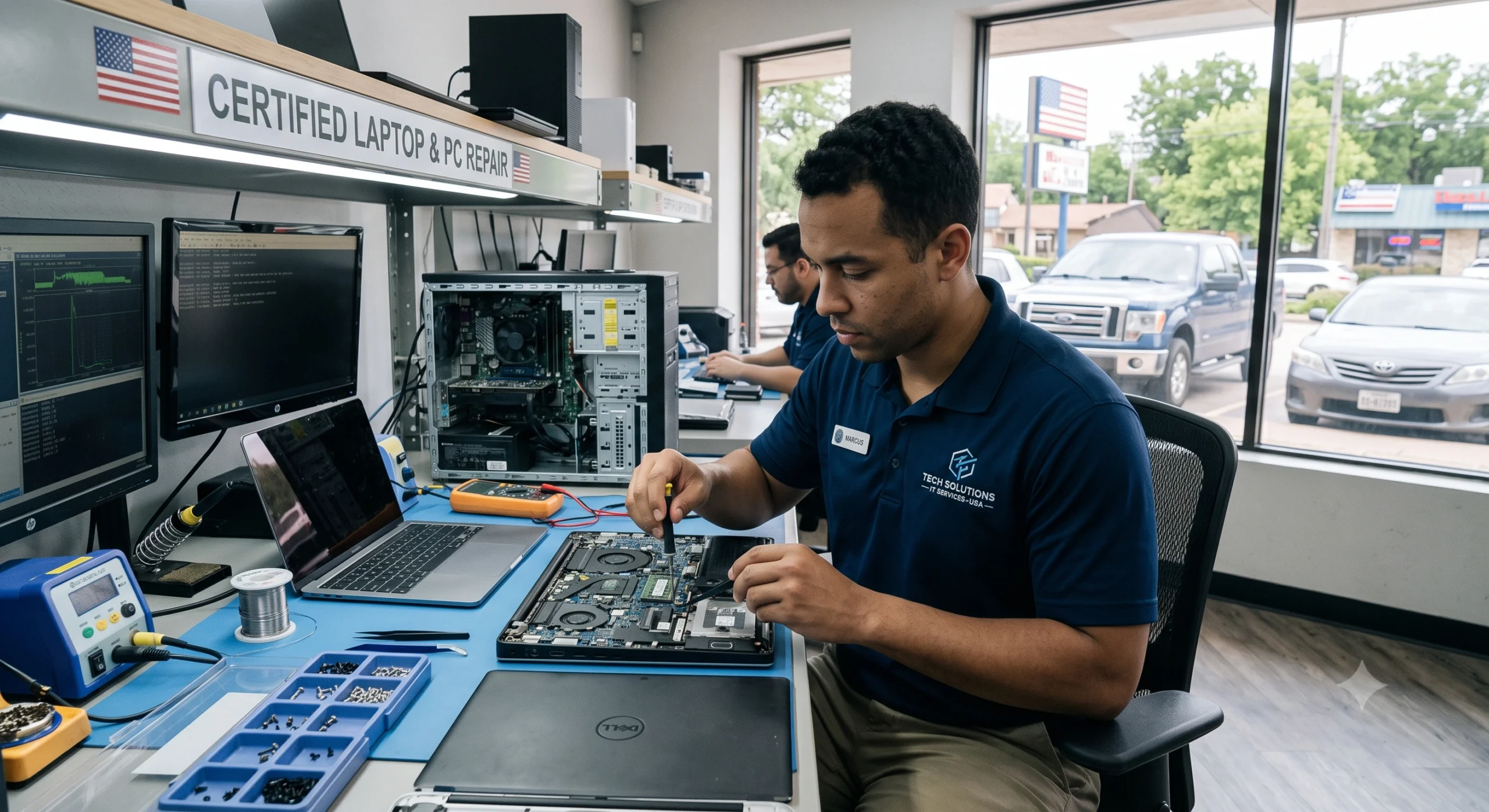
Computer & Laptop Repair Services in the USA | Fix Ora
At Fix Ora, we provide professional computer and laptop repair services for individuals, families, students, and businesses across the USA. Whether your computer is running slowly, won’t start, has a virus, or is experiencing hardware failure, our experienced technicians are ready to diagnose the issue and deliver reliable solutions.
We repair all major desktop and laptop brands, including Dell, HP, Lenovo, ASUS, Acer, Apple MacBook, Microsoft Surface, Samsung, MSI, and more. From minor software issues to complex hardware repairs, we focus on restoring your device quickly while protecting your important data whenever possible.
Our computer repair services include Windows troubleshooting, laptop screen replacement, keyboard repair, battery replacement, SSD and RAM upgrades, motherboard diagnostics, overheating fixes, data recovery, virus and malware removal, printer setup, Wi-Fi troubleshooting, system optimisation, operating system installation, driver updates, and custom PC support. We also help resolve common problems such as blue screen errors, boot failures, slow performance, random crashes, internet connectivity issues, and software installation errors.
Businesses in New York rely on efficient technology to stay productive. We provide dependable IT support for small offices and remote workers, helping minimise downtime with fast diagnostics, preventive maintenance, network troubleshooting, and secure computer optimisation.
Our goal is to deliver high-quality repair services with transparent communication, affordable pricing, and dependable customer support. Every repair begins with a careful diagnosis so we can identify the root cause of the problem and recommend the most effective solution. Whether you need help with a personal laptop or multiple business computers, Fix Ora is committed to providing professional computer repair services that keep your devices running smoothly.
Our Services
Desktop Repair
Windows Troubleshooting
Mac Support
Virus & Malware Removal
Data Recovery
PC Optimization
Wi-Fi & Network Support
Most of these issues are fixable. That is exactly why searching for trusted computer & laptop repair services in the USA is often a smarter first move than replacing the whole device.
It also helps to remember that laptops take more daily abuse than desktops. They get carried around, bumped in bags, used on laps, and plugged and unplugged constantly. Desktops sit in one place, but they are not immune either. Dust, power surges, and ageing components affect both types of machines over time. Understanding the root cause is the first real step toward a lasting fix instead of a temporary patch.
Signs Your Device Needs Professional Repair
Not every hiccup means your laptop is dying. But some warning signs should never be ignored. Here is what to watch for.
Hardware Warning Signs
- The laptop will not turn on, even when plugged in
- The screen is cracked, flickering, or showing strange lines
- Strange clicking or grinding noises from inside the case
- The device overheats and shuts down on its own
- The battery drains within minutes of unplugging
Software Warning Signs
- Frequent blue screens or random restarts
- Programs freezing or crashing constantly
- Pop-up ads appearing even when the browser is closed
- Extremely slow startup times, even after a fresh reboot
If you notice two or more of these signs together, it is time to look up a reliable computer repair shop rather than trying to push through with a struggling machine.
Step-by-Step Solutions: How to Fix Common Computer and Laptop Issues
Here are 10 practical methods, starting with simple checks you can try yourself, followed by what to expect from a professional repair visit.
1. Restart and Update Everything First
This sounds too simple, but it genuinely solves a huge number of issues. A restart clears temporary files and refreshes background processes.
- Save your work and close all open programs
- Restart the device completely, not just sleep mode
- Check for pending operating system updates
- Install any available driver updates for graphics and network hardware
2. Clean Out Dust and Improve Airflow
Overheating is one of the top reasons a computer becomes slow or shuts off randomly. Dust trapped in the fan blocks proper airflow.
- Power off the device completely and unplug it
- Use compressed air to gently clean the vents and fan
- Avoid using a laptop on soft surfaces like beds or blankets
- Consider a cooling pad if the device runs hot often
3. Run a Full Malware and Virus Scan
Slow performance and strange pop-ups are classic symptoms of an infection.
- Use a trusted antivirus program to run a deep scan
- Remove any unfamiliar browser extensions
- Clear your browser cache and reset default search settings
- Avoid downloading software from unknown websites in the future
4. Check and Replace a Weak Battery
If your laptop battery drains fast or the device only works while plugged in, the battery has likely reached the end of its life.
- Check battery health in your system settings
- Avoid letting the battery drop to zero percent regularly
- Book a laptop battery replacement with a certified technician
- Ask for an original or high-quality replacement part, not a cheap clone
5. Fix a Cracked or Flickering Screen
A damaged screen is one of the most common reasons people search for laptop screen repair near them.
- Avoid pressing on the cracked area to prevent further damage
- Connect an external monitor to confirm the graphics card is fine
- Get a professional quote before agreeing to a screen replacement
- Ask whether the repair includes a warranty on parts and labour
6. Recover Data From a Failing Hard Drive
If your device makes clicking sounds or files suddenly disappear, stop using it immediately to avoid losing your data permanently.
- Turn off the device and avoid restarting it repeatedly
- Do not attempt to open the drive yourself
- Contact a professional data recovery service right away
- Set up automatic cloud backups once your data is safe
7. Diagnose a Computer That Will Not Turn On
This is one of the scariest problems, but it is not always the motherboard.
- Check the power cable and outlet with another device
- Remove the battery and hold the power button for 30 seconds
- Listen for beeping sounds or fan movement when powering on
- Book a diagnostic check if nothing brings the screen back to life
8. Speed Up a Slow Computer
A sluggish computer is usually a mix of too many startup programs and a nearly full hard drive.
- Uninstall programs you no longer use
- Disable unnecessary startup applications
- Free up storage space by clearing old downloads and temp files
- Ask a technician about upgrading to a solid-state drive
9. Fix Wi-Fi and Connectivity Issues
If your laptop keeps dropping connection, the problem could be software or a failing network adapter.
- Restart your router and modem
- Update network drivers through Device Manager
- Forget and reconnect to the Wi-Fi network
- Get the network adapter tested if the problem continues
10. Choose the Right Professional Repair Service
When home fixes are not enough, choosing the right shop matters just as much as the repair itself.
- Look for certified technicians with verified reviews
- Ask for a written estimate before any work begins
- Confirm they offer a warranty on both parts and labor
- Choose a service known for fast turnaround, like Fix Ora
| Pro Tip Always back up your important files before handing over your device for repair. A good technician will also do this, but it never hurts to have your own copy saved on a cloud drive or external disk. |
| Troubleshooting Tip If your laptop randomly shuts down under normal use, check the battery health and internal temperature before assuming it is a motherboard issue. Overheating mimics many serious hardware failures. |
Why Choose Professional Computer & Laptop Repair Services in the USA
DIY fixes work for small issues, but some problems need trained hands and the right tools. Trying to fix a motherboard or a cracked screen without experience often makes things worse and can even void your warranty.
What a Good Repair Service Should Offer
- Free or low-cost diagnostics before any repair begins
- Certified technicians who work on all major brands
- Transparent pricing with no hidden charges
- Genuine replacement parts, not low-quality clones
- A warranty covering both parts and labour
- Fast turnaround, often same-day for common repairs
This is exactly the kind of experience Fix Ora aims to deliver. From battery swaps to full motherboard repairs, the goal is always a fast, honest, and lasting fix, not a quick patch that fails again in a month.
It is also worth checking whether a shop offers remote or on-site support for minor software issues. Not every problem requires you to drop off your device in person, and many trusted providers now offer virtual diagnostics for things like slow performance, software errors, or setup help, saving you both time and travel.
Laptop Repair Cost: What to Expect
Repair costs vary depending on the brand, the part needed, and where you live. As a general guide:
- Battery replacement: usually the most affordable fix
- Screen replacement: moderate cost, depends on screen size and type
- Keyboard replacement: fairly low cost for most models
- Motherboard repair: the most expensive, since it is the core of the device
- Data recovery: price depends on how severe the damage is
Always ask for a clear, written quote before agreeing to any repair. A trustworthy computer repair shop will never pressure you into a decision on the spot.
It also helps to compare the repair estimate against the cost of a new device with similar specs. In many cases, especially when the laptop is less than four or five years old, repairing works out far cheaper than replacing it entirely, and you avoid the hassle of transferring files and reinstalling every program from scratch.
Brands and Devices Covered Under Computer & Laptop Repair Services in the USA
A common worry people have is whether their specific brand can even be repaired locally. The good news is that most professional repair shops, including Fix Ora, work across nearly every major manufacturer, not just one or two names.
Laptop Brands Commonly Serviced
- Dell, HP, and Lenovo business and personal laptops
- Apple MacBook Air and MacBook Pro models
- ASUS, Acer, and MSI laptops, including gaming models
- Microsoft Surface devices
- Samsung and Toshiba laptops
Desktop and Other Devices
- Custom-built gaming and office desktops
- All-in-one desktop computers
- Small business workstations and office PCs
- External hard drives and storage devices
No matter the brand or age of your device, a proper diagnostic check is always the right starting point. It tells you exactly what is wrong before you spend a single dollar on parts or labour.
How the Repair Process Works From Start to Finish
Knowing what happens behind the scenes makes the whole experience far less stressful. Here is what a typical visit with a professional computer and laptop repair service looks like.
- You describe the issue and hand over the device for inspection
- The technician runs a full diagnostic to confirm the root cause
- You receive a clear, written quote before any repair work starts
- The technician sources genuine parts if a replacement is needed
- Your device is repaired, tested, and cleaned before pickup
- You leave with a warranty covering the parts and labour used
This kind of transparent process is exactly what separates a trustworthy shop from one that tries to upsell unnecessary repairs. Always ask questions if anything in the quote feels unclear; a good technician will happily explain every line item.
Preventive Maintenance: How to Avoid Repeat Repairs
Getting your device fixed is only half the job. A little regular care afterward goes a long way toward keeping repair bills down in the future.
Simple Habits That Extend Your Device’s Life
- Clean the vents and keyboard every few months
- Avoid eating or drinking near your laptop
- Use a surge protector to guard against power spikes
- Keep your operating system and antivirus software updated
- Shut down fully at least once a week instead of only sleeping
- Store the device in a padded bag when travelling
None of these habits takes much time, but together they reduce the chances of an unexpected breakdown. Think of it the same way you would think about servicing a car. A little routine care now prevents a much bigger and more expensive problem later.
‘There is a line AI cannot cross’ — Insta360 founder defends controversial ‘photography robot’ plan
Final Thoughts: Do Not Let a Broken Device Slow You Down
A broken laptop or a slow computer can feel like a major setback, but it rarely has to be. Most problems, from a dying battery to a cracked screen, have a clear and affordable fix when you know where to look.
Start with the simple steps in this guide. If the problem sticks around, do not risk making it worse on your own. Reach out to a trusted name in computer & laptop repair services in the USA and get your device back in your hands, working like new.
| Ready to Get Your Device Fixed? Fix Ora offers fast, reliable, and affordable computer & laptop repair services in the USA, backed by certified technicians and honest pricing. Book your free diagnostic today and get back to work without the stress. |
Frequently Asked Questions
Q: How much does laptop repair usually cost in the USA?
A: Costs vary by issue. A battery or keyboard replacement is usually affordable, while screen or motherboard repairs cost more. Always ask for a written estimate first.
Q: How long does a typical computer repair take?
A: Simple fixes like software cleanup or battery replacement often take a few hours. More complex repairs, like motherboard work, may take a few days depending on part availability.
Q: Can a laptop be repaired if it will not turn on at all?
A: In most cases, yes. A dead laptop is often caused by a faulty charger, battery, or power port, all of which can usually be repaired or replaced.
Q: Is it safe to send my laptop for repair if it has personal files?
A: Reputable repair shops follow strict privacy practices. Still, it is wise to back up your files beforehand and ask the shop about their data handling policy.
Q: Should I repair an old laptop or just buy a new one?
A: If the repair cost is under half the price of a new device and the laptop still meets your needs, repairing is usually the smarter and more affordable choice.
Q: Do repair shops offer a warranty on their work?
A: A trustworthy shop, including Fix Ora, will always back their repairs with a warranty covering both parts and labour for your peace of mind.
Q: Can a virus damage my computer’s hardware?
A: Malware itself rarely damages physical parts, but it can push your hardware to overwork, leading to overheating and long-term wear. Removing it early protects both your files and your device’s lifespan.
Q: What should I do before dropping off my laptop for repair?
A: Back up your important files, note down your device’s login password if needed for testing, and remove any personal accessories. This keeps the process quick and your data secure.e.
One Comment